Debuss Audio / Audio plugins
Your sound.
A higher standard.
A clearer view of your audio. Explore your mix
with debuss 2813 and bring visual insight
to your listening decisions.
SOUND FOR A HIGHER STANDARD
WINDOWS · VST3
macOS · VST3 / AU
APPLE SILICON + INTEL
01 / Debuss Audio plugins
See more. Hear better.
Precision analysis and intelligent resonance control.
Two focused tools for better mixing decisions.
Spectrum / RTA / Metering
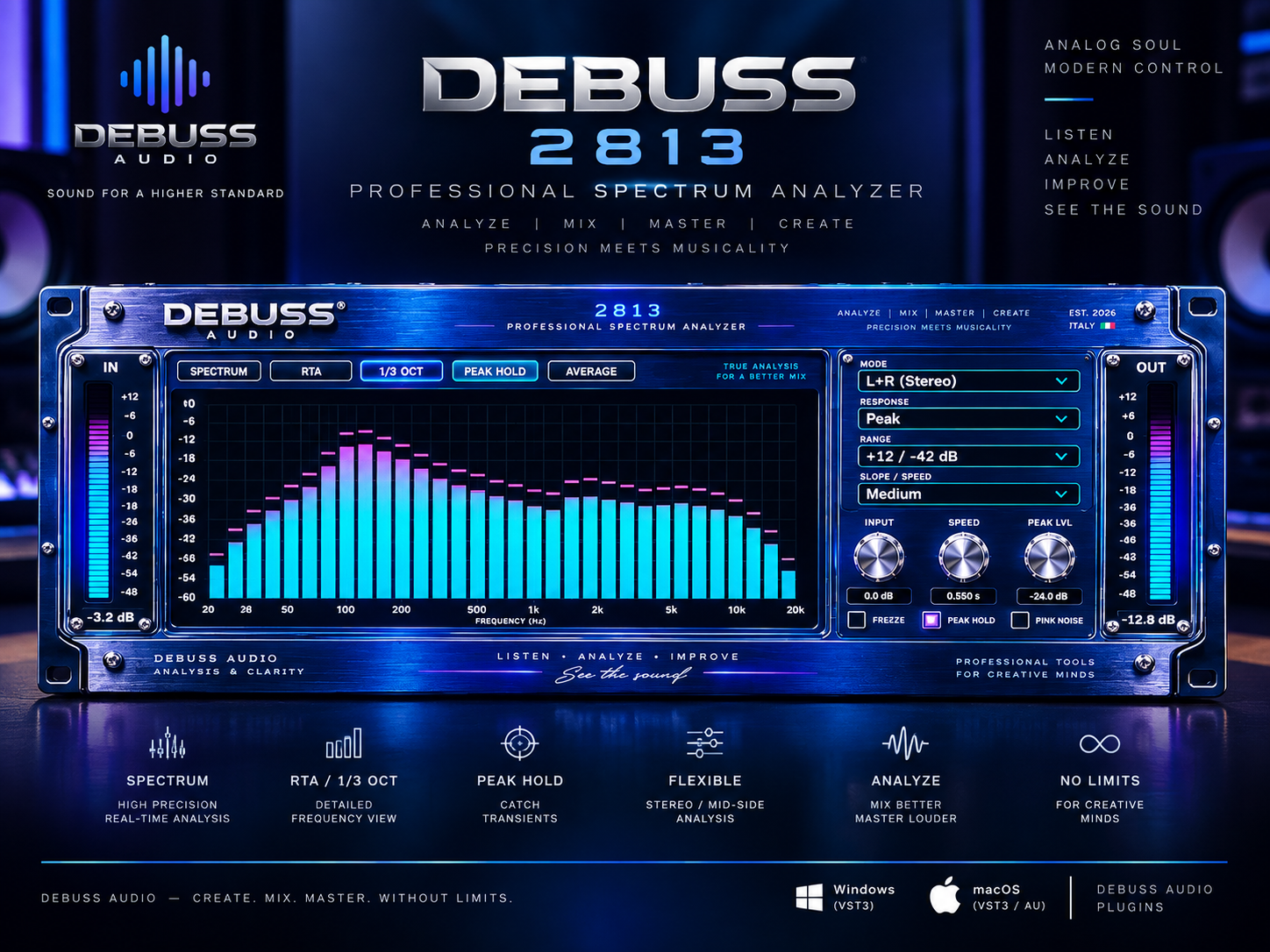
debuss 2813
See your sound in detail. Explore your mix with
Spectrum, RTA, and third-octave views, supported
by input and output metering.
Observe the frequency balance, follow changes
across the spectrum, and use visual feedback
to support what you hear.
Spectrum
RTA
Third-octave analysis
Input / Output meters
Smart resonance suppression
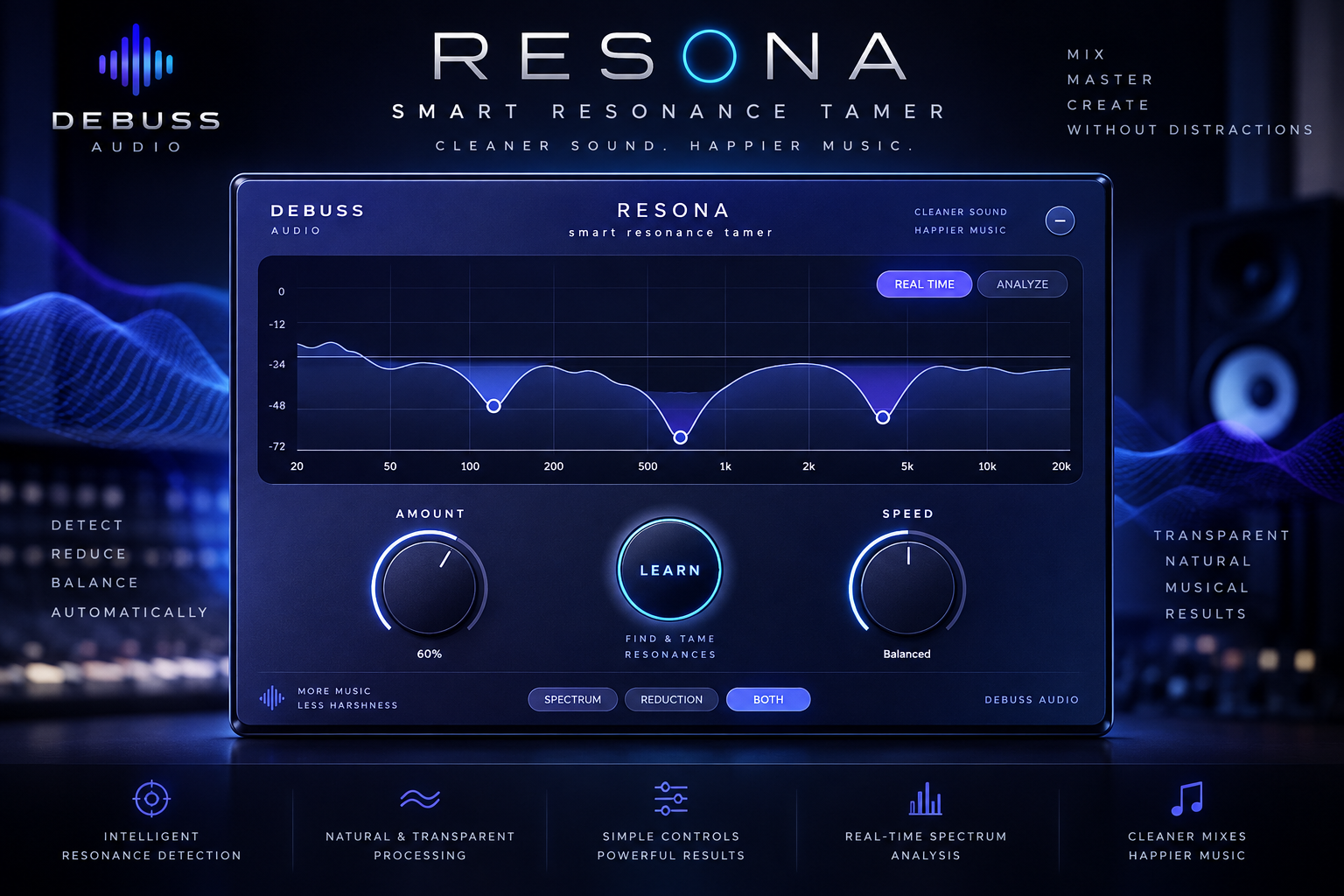
ReSona
Tame harsh resonances without losing the character of your sound.
ReSona listens continuously and applies precise, dynamic reduction
only where it is needed.
Shape the result with simple musical controls, smooth spectral
processing, and real-time visual feedback designed for fast decisions.
Smart detection
Dynamic suppression
Real-time spectrum
Windows + macOS
Windows VST3 · macOS VST3 / AU Universal
01 / SPECTRUM
Follow the frequencies.
See how energy is distributed across the spectrum
and observe the tonal balance of your audio.
02 / ANALYSIS VIEWS
Change your perspective.
Explore Spectrum, RTA, and third-octave views
to examine your sound in different ways.
03 / METERING
Keep levels in sight.
Follow input and output levels alongside
frequency analysis, in one interface.
02 / Debuss Audio
Listen closely.
See more.
Trust your ears.
Understand what you hear.
Debuss Audio grew out of a passion for music production
and the tools that help us understand sound.
We bring the visual appeal of studio hardware
into a software workflow.
With debuss 2813, our focus is clear: readable
analysis, accessible metering, and an interface
that keeps your audio at the center.
03 / Support
Back to making music.
Questions about the analyzer, installation,
or activation? Get in touch.
Contact support ↗
support@debussaudio.com
What is debuss 2813?
debuss 2813 is a spectrum analyzer plugin.
It provides Spectrum, RTA, and third-octave
analysis views, together with input and output
level metering.
Which plugin formats are supported?
debuss 2813 is developed as a VST3 plugin
for Windows, and in VST3 and AU formats
for macOS, with Universal builds for
Intel and Apple Silicon.
Can I use the analyzer on its own?
You need a DAW or audio host that supports
the plugin format. Detailed system requirements
will accompany the release.
How can I get help?
Contact us with your operating system, DAW,
plugin version, and a description of the issue.
If an error appears, please include a screenshot.
Where can I find pricing and downloads?
Purchase links and available installers
will be listed on this page at launch.